VAT accounting
In order to make it easier to import your books, you should consider laying out the VAT accounts in accordance with the GnuCash UK VAT template:
Income
Expenses:VAT Purchases
Expenses:VAT Purchases:EU Reverse VAT
You don't have to do anything for boxes 3 and 5, these are computed automatically.
Alternative mapping
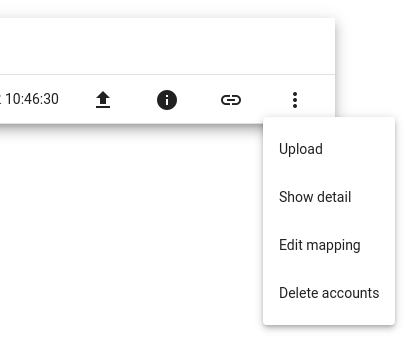
If you haven't arranged your accounts in this form, you can change the mapping to your accounts using the accounting books mapping view. Once your accounting books are imported, you should see a line like this on the Books tab:

Each row represents the accounting books for one of your companies. The small chain link icon can be used to go to the accounts mapping screen. The three-dots menu also offers Edit mapping.
The mapping view allows you to map the VAT boxes to the accounts in your accounting books.
Note that 2 of the VAT accounting boxes are computed from other values, and cannot be mapped.
See also: